
How to Make an SMM Panel Business? Tips & Tricks
To make an SMM panel, you need a domain, hosting, a panel script or custom dashboard, an API provider, payment methods, pricing, order automation, and customer support.
It works like a simple dashboard. Users add funds, choose a service, submit a link, place an order, and track the result.
But building an SMM panel is not only about launching a website. You also need trusted service providers, clear pricing, secure payments, refund and refill policies, and a user support system.
How can you manage all that? That’s all the things about this blog.
Decide the Business Model Before Building the Panel

Before choosing a script, API provider, hosting, or payment gateway, the owner should decide how the SMM panel will earn money. This step matters because the business model affects the full setup, including website structure, service categories, pricing, payment methods, support system, and marketing plan.
An owner can build the panel in different ways:
Direct SMM panel for normal users
This model is for creators, small businesses, YouTubers, TikTok creators, Instagram page owners, and Facebook business pages. Users add funds, choose a service, submit a link, and place orders. It is simple and beginner-friendly.
Reseller-focused SMM panel:
This model targets people who want to resell SMM services to their own clients. Resellers usually need wholesale pricing, bulk orders, API access, order tracking, and stable delivery.
Best for: Beginners
Main benefit: Easy to start without building everything from zero
Main limitation: Less control over the backend and service source
Agency-focused SMM panel
sadf
This model is for freelancers, social media managers, and marketing agencies. These users care more about service quality, refill options, clear reporting, and fast support because they manage client accounts.
Child panel or white-label panel
This is useful for owners who want to start quickly under their own brand without building the full backend from scratch. It is easier for beginners, but the owner still depends on the main provider.
Best for: White-label sellers
Main benefit: Fast branded setup under your own domain
Main limitation: Depends on the parent panel
Local SMM panel:
A local panel focuses on one country or market. For example, a Bangladesh-focused panel should include BDT pricing, bKash, Nagad, Rocket, bank transfer, and local support.
Global SMM panel
A global panel needs wider service coverage, multi-currency pricing, international payment methods, English support, and stronger backend management.
For beginners, a direct panel, reseller panel, or child panel is usually easier to start. These models need less technical work and help the owner test the market first.
For serious business owners, a custom SMM panel is better in the long run. It gives more control over branding, API providers, pricing, payments, automation, support, and SEO.
The main thing is you do not build the panel first and think about the business later. Decide who you want to serve, how you will make a profit, and which model fits your budget and long-term plan.
How Much Does It Cost to Start an SMM Panel Business?
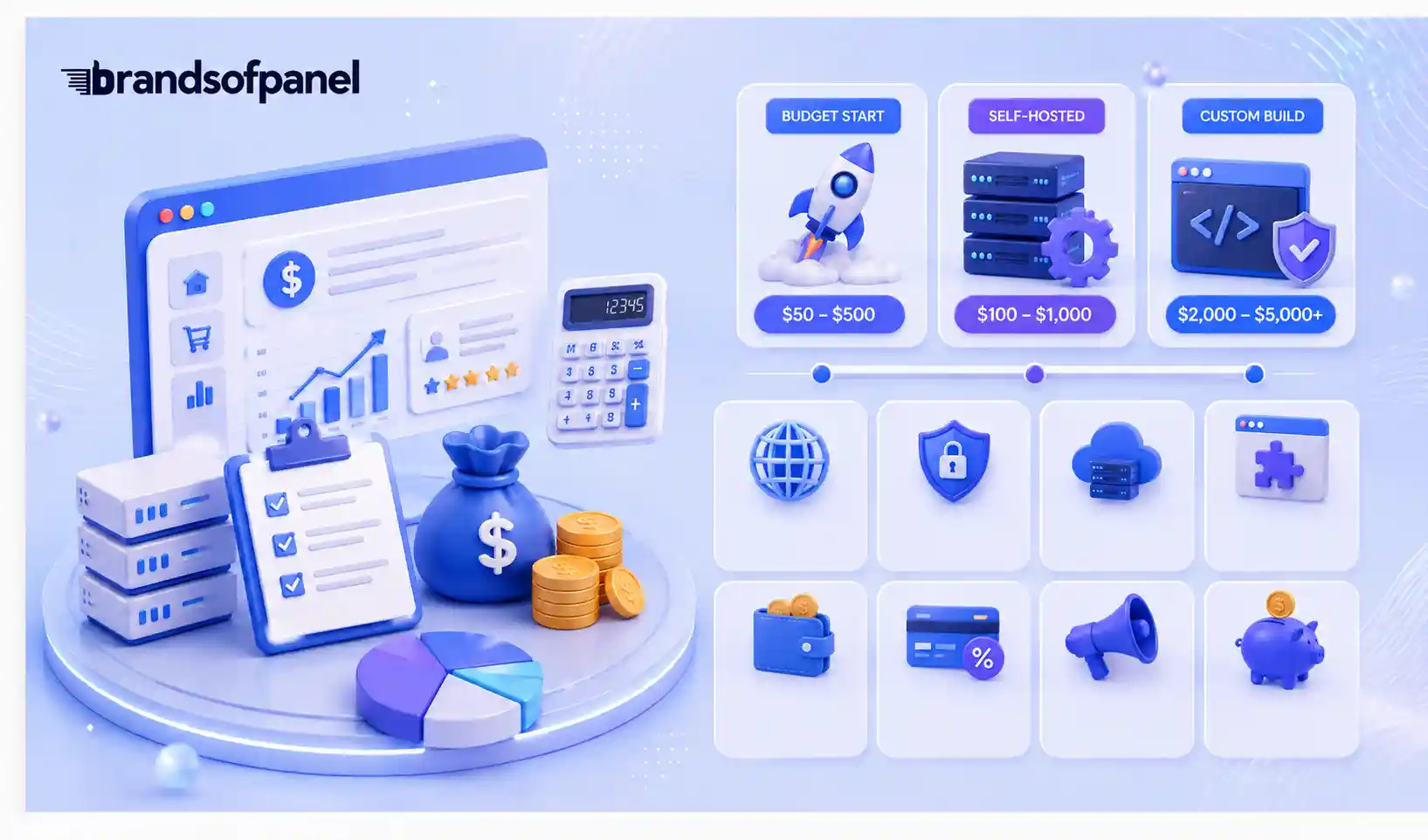
Starting an SMM panel business can cost as little as $50 to $500 if you use a rental, reseller, or white-label setup. If you want a self-hosted script, the starting cost may be between $100 and $1,000, depending on hosting, setup, and customization. A fully custom SMM panel can cost $2,000 to $5,000+ because it needs developers, custom design, security, automation, and long-term maintenance.
The cost mainly depends on how you want to build the panel. Most beginners do not build everything from scratch. They start with a rental platform, reseller panel, or child panel because it is cheaper, faster, and easier to manage.
Choose a Setup That Matches Your Budget
The amount you spend depends heavily on the type of panel you want to launch.
Rental or White-Label Panel
This is usually the lowest-cost option for beginners who want to enter the market quickly without managing a full technical setup.
- Estimated setup cost: $5–$50
- Ongoing cost: Around $5–$50 per month
- Best suited for: Beginners who want a fast and affordable launch
Self-Hosted Panel Script
A self-hosted setup gives the owner more control over the website, services, integrations, and overall management. The initial investment is higher, but it provides more flexibility than a basic rental panel.
- Estimated setup cost: $50–$500
- Ongoing cost: Around $5–$100 per month
- Best suited for: Owners who want more control over their panel
Custom-Built SMM Panel
A fully custom panel is the most expensive option because it may require developers, custom features, security work, integrations, and ongoing technical maintenance.
- Estimated setup cost: $2,000–$5,000+
- Ongoing cost: Around $100–$300+ per month
- Best suited for: Agencies and serious businesses that need a customized platform
Other Costs You Should Include in Your Budget
The panel software is only one part of the investment. You should also budget for the basic infrastructure, service balance, payments, marketing, and operating expenses needed to keep the business running.
Domain Name — $10–$20 per year
Your domain becomes the main online address of the panel and is an important part of building a recognizable brand.
SSL Certificate — $0–$30 per year
SSL protects data transmitted between the website and its users and allows the panel to operate over HTTPS. Some hosting providers include it at no additional cost.
Hosting or VPS — $5–$50 per month
Hosting keeps the dashboard, customer accounts, order system, and admin area online. The cost normally increases as traffic and resource requirements grow.
Panel Script or Rental Platform — $5–$500+
This is the software infrastructure behind the panel. The price depends on whether you rent a ready-made system, purchase a script, or use a more advanced setup.
Initial API Balance — $20–$200+
Most providers require you to maintain prepaid balance before customer orders can be processed. Keeping enough provider balance helps prevent interruptions.
Payment Processing Fees — Around 2%–5% per transaction
Payment gateways may charge a percentage whenever a customer deposits money. These fees should be included when calculating your selling price and profit margin.
Marketing Budget — $50–$500+
A new panel needs visibility. This budget can be used for SEO, content, outreach, advertising, affiliate promotion, or reseller acquisition.
Working Capital Buffer — $50–$200+
Keeping additional funds available helps you continue processing orders while customer payments are clearing, refunds are being handled, or provider balances need to be topped up.
So, starting an SMM panel does not always require a large investment, especially if you begin with a rental or white-label solution. However, the real budget should cover more than the website itself. You need enough money for the software, hosting, API balance, payment fees, marketing, support, and a small operating reserve to keep the business running smoothly.
How Long Does It Take to Launch?
A child panel can be live in 3 to 7 days, because the backend already exists and you are mostly setting up branding, pricing, and payment. A self-hosted panel realistically takes 2 to 4 weeks, including script setup, provider testing, payment integration, policy pages, and test orders. A fully custom build takes longer and depends on your developer.
SMM Panel Terms You Should Know Before You Start

Before running an SMM panel, you should understand a few common terms that appear in service descriptions, order statuses, and provider dashboards. Knowing these terms makes it easier to choose services, explain them to customers, and manage orders properly.
Provider Balance
Prepaid money you keep with an API provider. Every customer order deducts its provider cost from this, so an empty provider balance stops delivery even when the customer paid you.
Main or Master Panel
The parent platform supplying services or infrastructure to a child panel. If you run a child panel, this is who your business actually depends on.
Mass Order
Lets a user submit many orders in one go. Resellers and agencies ask for this before they commit, so check your script supports it.
Subscriptions
Creates orders automatically whenever a linked account posts. It generates recurring revenue without the customer returning to your dashboard.
Non-drop and high retention
Labels that signal better stability, not guarantees. Repeat a provider's "non-drop" claim on your own service page, and the complaint lands on you, not on them, so word your descriptions around what the provider actually commits to.
Auto-refill
The system opens the refill itself when eligible engagement drops. Fewer support tickets for you, but only worth enabling on services whose provider honours refills reliably.
How to Start Your Own SMM Panel Business?

Starting your own SMM panel business is not only about creating a website and adding social media services. As an owner, you need to build a system that can handle services, payments, orders, support, pricing, and customer trust.
Step 1: Select Your Target Customers
Do not build the panel for everyone. Choose who you want to serve first.
Your target customers can be creators, small businesses, agencies, freelancers, resellers, YouTubers, TikTok creators, Instagram users, or Facebook page owners.
For example, if you target agencies, you need stable services, bulk orders, API access, and better support. If you target beginners, your dashboard should be simple, affordable, and easy to understand.
Step 2: Choose a Brand Name and Domain
Your brand name should look clean, trusted, and easy to remember. The domain should also be short and simple.
Avoid copying another panel’s name, logo, or website design. It may look easy at first, but it can damage trust. A new SMM panel needs its own identity.
Your brand setup should include:
- Brand name
- Domain name
- Logo
- Homepage message
- Payment page
- Contact page
- Terms and refund policy
Step 3: Get Hosting and SSL
Your SMM panel needs reliable hosting so users can log in, add funds, place orders, and track deliveries. If the dashboard is slow, users may not trust the panel.
Start with good hosting or a VPS. Also, add SSL so your website opens with HTTPS. This is important for payment safety and user trust.
Step 4: Choose an SMM Panel Script or Platform
The SMM panel script is the system that runs your dashboard. It allows users to create accounts, add balance, select services, submit links, and track orders.
A good panel script should include:
- User dashboard
- Admin dashboard
- Add funds option
- New order page
- Service list
- Order history
- API integration
- Payment integration
- Support ticket system
Do not use a cracked or outdated script. It can create security problems, slow performance, and payment issues later.
Step 5: Connect Reliable API Providers
Most SMM panels use API providers to deliver services. When a customer places an order, your panel automatically sends it to the provider.
This is one of the most important parts of the business. If your provider is poor, your panel will face pending orders, drops, failed orders, and customer complaints.
Before choosing a provider, test:
- Service quality
- Delivery speed
- Drop rate
- Refill support
- API stability
- Order status update
- Support response
It is also better to have more than one provider. If one provider has issues, you can move services to another one.
Step 6: Add Services and Organize Categories
After connecting providers, organize your services properly. Do not add every service blindly just to make your panel look big.
Start with popular platforms like:
- TikTok
- YouTube
- Telegram
- X
- Spotify
Then create clear categories such as followers, likes, views, comments, subscribers, reactions, watch time, and members.
Each service should have a clear name and description. Users should understand what they are buying before placing an order.
Step 7: Set Pricing and Profit Margin
Now set your prices. Do not copy prices randomly from competitors. You need to calculate your provider cost, payment fee, refund risk, support cost, and profit margin.
For example, if a service costs you $1 from the provider, you may sell it at $1.30, $1.50, or more depending on quality and market demand.
Keep different pricing levels:
- Cheap services for testing
- Premium services for better retention
- Reseller pricing for bulk buyers
- Special pricing for agencies
The goal is to stay competitive without killing your profit.
Step 8: Write Refund, Refill, and Order Rules
Clear rules are important for both owner and customer. Without rules, every failed order can become a support issue.
Write clear policies for:
- Refill-supported services
- No-refill services
- Partial orders
- Canceled orders
- Failed payments
- Balance refund
- Wrong link orders
- Duplicate orders
Do not hide important rules. Clear rules help customers order correctly and reduce complaints.
Step 9: Set Up Customer Support
SMM panel users will need support. They may ask about payment issues, pending orders, failed orders, drops, wrong links, or refill requests.
You can offer support through:
- Ticket system
- Live chat
- WhatsApp or Telegram
- FAQ page
Support should be fast and clear. Good support can be one of your biggest advantages, as many panels fall short here.
Step 10: Monitor and Improve the Business
After launch, your job is not finished. You need to monitor orders, providers, payments, support tickets, drops, refunds, and profit margin.
Watch these things regularly:
- Which services sell most
- Which services drop more
- Which provider has issues
- Which payments fail
- Which users need support
- Which pages bring traffic
- Which services bring profit
A good SMM panel owner keeps improving the system. Replace poor-quality services, update pricing, fix dashboard issues, respond to support tickets, and build trust over time.
Starting an SMM panel business is possible, but it needs planning. Build the system first, test everything, choose reliable providers, write clear rules, and focus on customer trust from the beginning.
How Much Can You Earn From an SMM Panel Business?

Your profit is the difference between the provider price and your selling price. Typical margins run 25 to 60 per cent, higher for premium and refill-supported services, and lower for cheap, high-volume services where competitors race to the bottom.
The number that actually matters is your break-even order count, not your margin percentage.
Here is the math. Say your fixed monthly costs are $80 for hosting and a script license. Your average order value is $2 and your margin is 30 percent, so you make $0.60 per order. You need roughly 135 orders per month just to cover costs, before you have earned anything.
That changes the strategy. Two things move the number faster than cutting prices:
- Higher average order value. One reseller placing $40 orders replaces around 20 small retail orders.
- Repeat customers. Acquiring a new user costs money. A user who tops up every month incurs no cost.
This is why panels that chase only the cheapest retail buyers stay stuck. The margin is thin, and the customers do not come back.
Is the SMM Panel Business Legal?
Running an SMM panel is a legal business in most countries. You register it, invoice for it, and pay tax on it like any other online service. The complications are not about the company; they are about the services and the payments.
Platform terms of service.
Most engagement services sold through panels go against the terms of Instagram, TikTok, YouTube, and Facebook. Platforms can remove delivered engagement or restrict accounts. This is not a criminal issue, but it is a real risk your customers carry, and hiding it damages trust more than stating it. Say it plainly on your terms page.
Payment processors matter more than the law.
This is where most new panels get hurt. Mainstream processors commonly classify social media engagement services as prohibited or high-risk, and accounts are frozen with balances still inside.
Do not build your business on a single gateway. Set up at least one alternative before you launch, and never keep more balance in a gateway than you can afford to lose access to for 30 days.
Local registration. In Bangladesh, a trade license and the relevant tax registration make it far easier to open a business bank account and work with local gateways. Check your own country's requirements before you collect payments.
How to Market an SMM Panel After Launch?
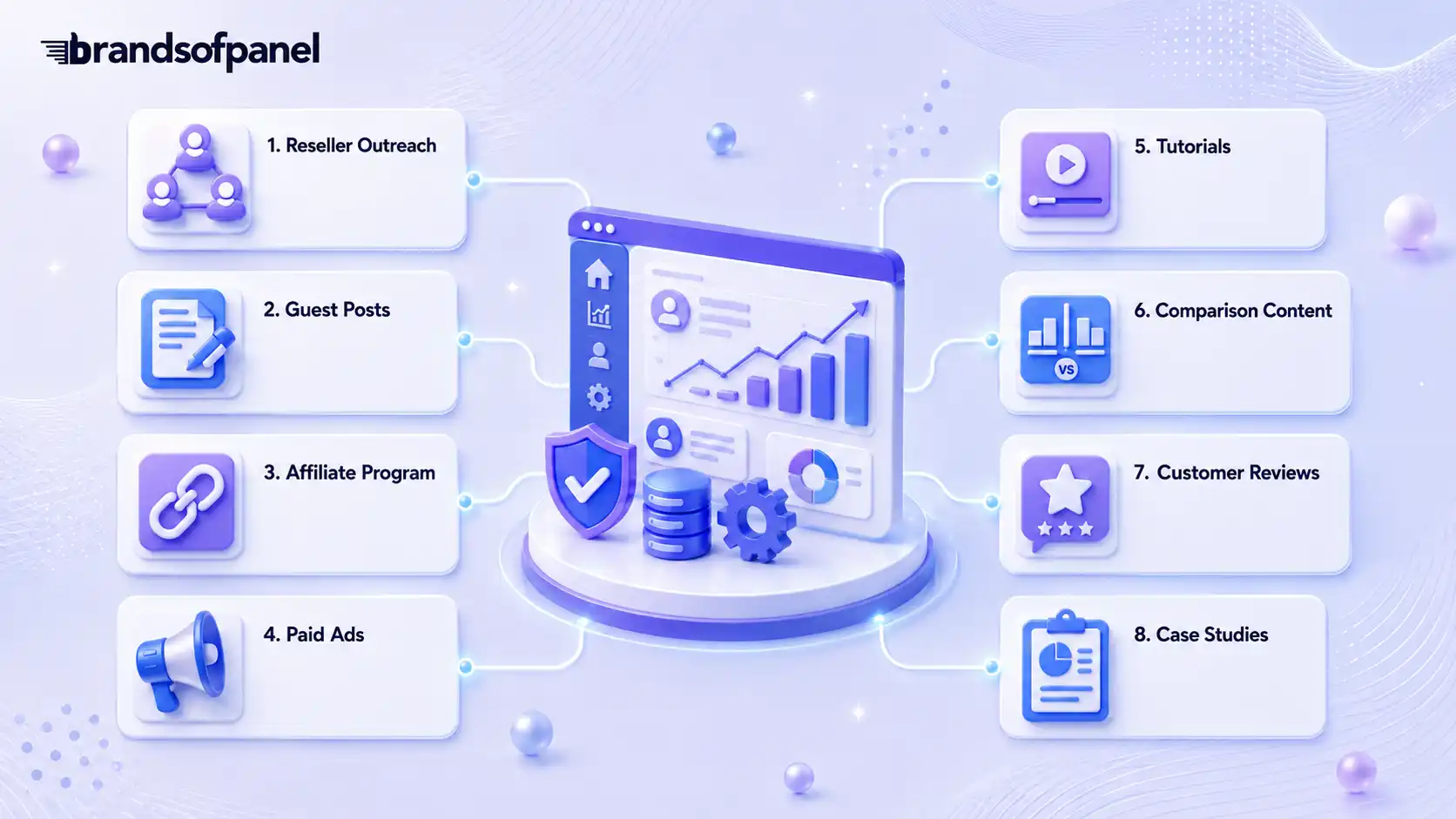
A new panel cannot compete on price alone, because anyone can undercut you. What holds users is trust, clear service descriptions, and support that answers.
Four channels do most of the work early on:
- Reseller outreach. The strongest channel, because resellers order repeatedly and manage client volume. They care less about your rate than whether orders complete, refills work, and support replies.
- Content and SEO. Tutorials on adding funds, placing orders, and requesting refills cut support tickets and bring search traffic. Comparison posts reach buyers who are already close to deciding.
- Affiliate program. Brings users without upfront ad spend, but only works with clear commission rules, tracking links, and payouts that arrive on time.
- Paid ads. Fastest traffic, easiest to waste. Do not run ads until your landing page answers pricing, payment methods, and support, and start on a budget small enough to learn from.
Reviews and case studies belong on the homepage and payment pages once you have real ones. Never write them yourself, since a fake review is the same signal buyers use to spot a panel they should avoid.
Risks Every SMM Panel Owner Should Plan For
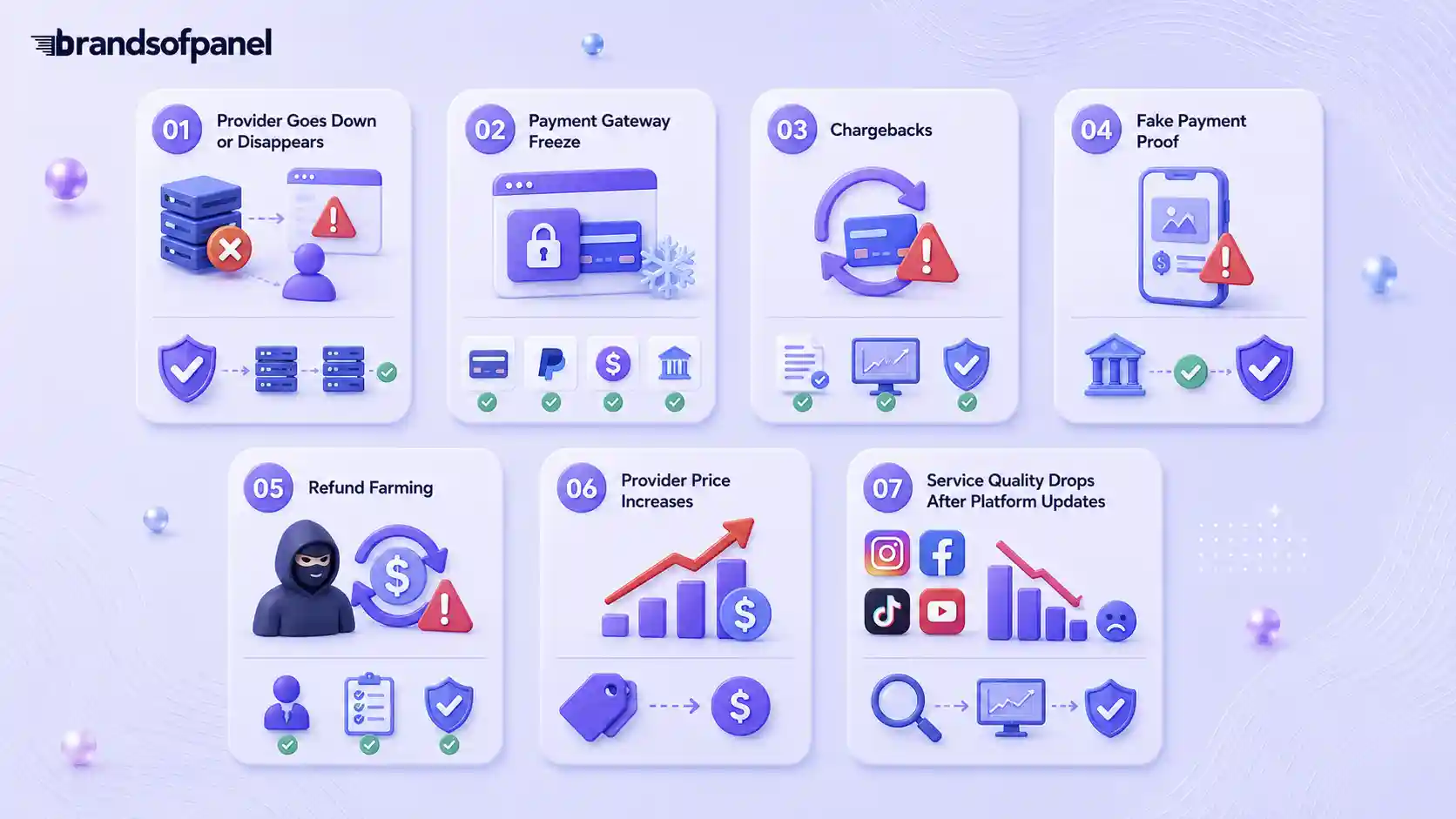
Every SMM panel business comes with operational and financial risks. Planning for these problems before launch can prevent service interruptions, unexpected losses, and unnecessary customer disputes.
Provider Goes Down or Disappears
If an API provider stops working or disappears, your prepaid balance may become inaccessible and active customer orders can get stuck.
How to reduce the risk: Keep at least two or three reliable providers available. Avoid depositing large amounts with a new provider until you have tested its service quality and reliability.
Payment Gateway Freeze
A payment gateway can sometimes restrict or freeze an account, temporarily locking customer funds and making it difficult to process orders or withdrawals.
How to reduce the risk: Do not depend on a single payment method. Maintain alternative gateways and withdraw available funds regularly instead of keeping unnecessarily large balances inside one processor.
Chargebacks
A chargeback happens when a customer disputes a payment after the service has already been delivered. This can leave the panel owner paying both the provider cost and the refunded payment.
How to reduce the risk: Keep clear terms, transaction records, order history, and delivery evidence. Apply extra checks to new accounts placing unusually large orders.
Fake Payment Proof
Manual deposits can be targeted with edited screenshots or false payment confirmations. Crediting an account without verifying the transaction can result in direct financial loss.
How to reduce the risk: Always confirm payments from your own gateway, bank, or wallet transaction records instead of relying only on screenshots submitted by customers.
Refund Farming
Some users may repeatedly claim that completed orders failed or were not delivered correctly in an attempt to receive additional balance or refunds.
How to reduce the risk: Maintain detailed order-status records and create a clear refund policy that explains exactly when a customer qualifies for a refund.
Provider Price Increases
API providers can change their prices without much notice. If your customer-facing prices remain unchanged, your profit margin can shrink or even disappear.
How to reduce the risk: Review provider pricing regularly and keep enough margin in your selling prices to absorb smaller cost changes.
Service Quality Drops After Platform Updates
Changes made by Instagram, Facebook, TikTok, YouTube, or other platforms can affect service delivery. A previously reliable service may suddenly become slower, experience higher drops, or generate more complaints.
How to reduce the risk: Test important services regularly and monitor recent order performance instead of relying on old provider data.
The goal is not to eliminate every possible risk. A stronger SMM panel is built by having backup providers, alternative payment options, clear records, realistic policies, and a process for identifying problems before they affect too many customers.
Important Pages Every SMM Panel Website Should Have
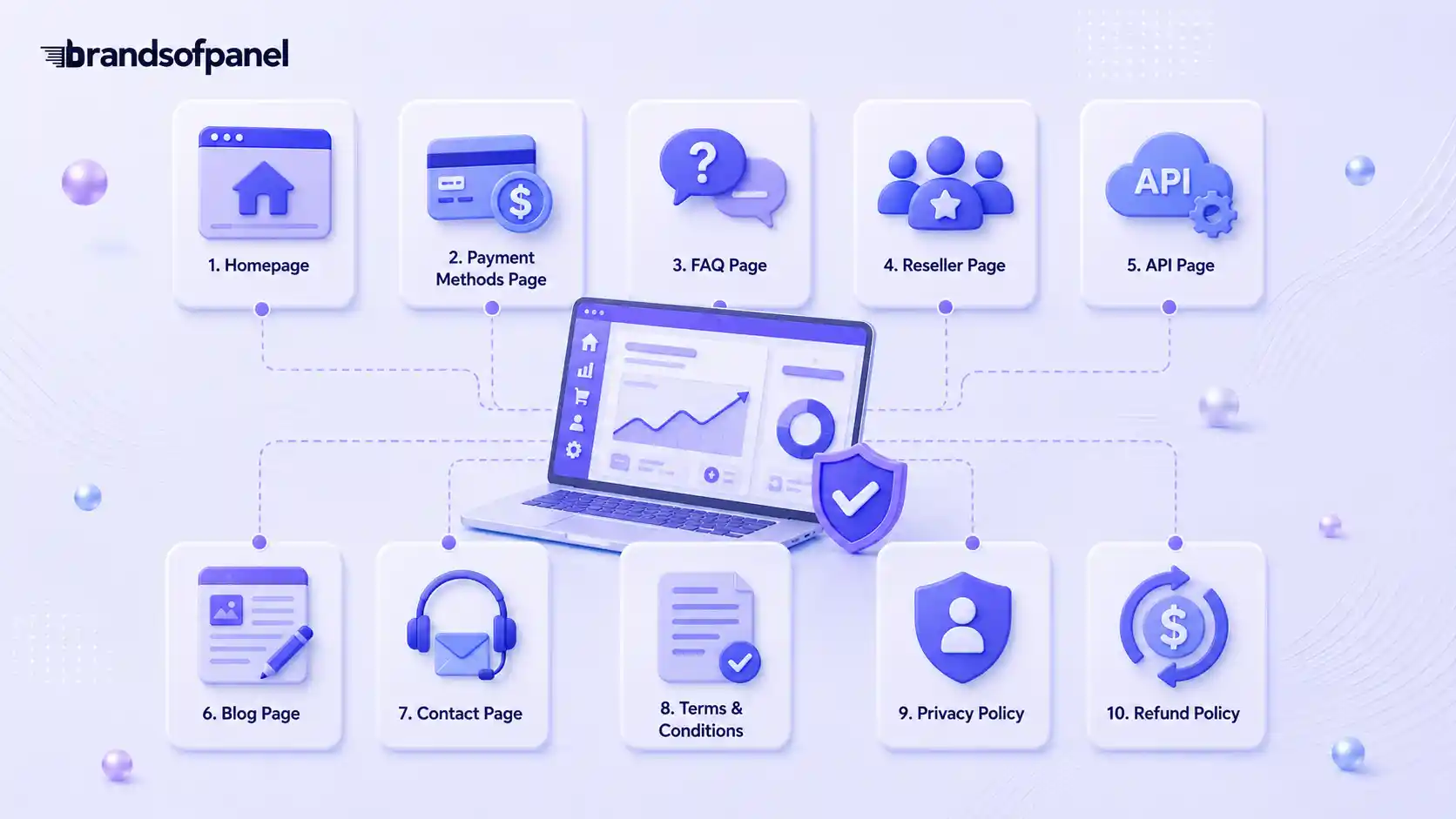
A proper SMM panel needs more than a homepage and user dashboard. You should create important pages that explain the business, reduce confusion, build trust, and help users understand how to use the panel before adding funds or placing orders.
These pages also help with SEO. Search engines need clear pages to understand what your panel offers, and users need clear information before they trust your service.
- Homepage
- Payment methods page:
- FAQ page
- Reseller page
- API page
- Blog page
- Contact page
- Terms and conditions
- Privacy policy
- Refund policy
These pages make the panel look more professional. They also help users find answers without having to contact support every time. For an SMM panel owner, clear pages mean better trust, fewer disputes, and a stronger chance of turning visitors into long-term customers.
Final Thoughts
The best way to start is to keep the setup clear. Choose the right business model, test your API providers, use a secure panel script, write honest service details, and set prices that leave room for profit and support.
Do not rush the launch. Test the full flow first: signup, add funds, order placement, delivery, support ticket, and refund or refill process. A panel that works smoothly from the beginning has a better chance of earning customer trust.
In the end, a successful SMM panel is not built only on cheap prices. It is built on reliable services, clear rules, fast support, safe payments, and consistent marketing.
Frequently Asked Questions
Can I Make an SMM Panel Without Coding?
Yes, you can make an SMM panel without coding by using a ready-made SMM panel script, reseller panel, or child panel. These options already include basic features like user login, add funds, service list, order page, and order tracking.
But if you want a fully custom dashboard, custom features, or advanced API setup, you may need a developer.
What Is the Easiest Way to Start an SMM Panel?
The easiest way to start is with a reseller panel or child panel. This lets you sell SMM services under your own brand without building the full system from zero.
It is a good option for beginners because you can test the market first, understand customer demand, and learn how orders, payments, and support work.
What Is an SMM Panel Script?
An SMM panel script is the software that runs the panel website. It manages user accounts, services, payments, balances, orders, API connections, and support tickets.
A good script should be secure, updated, mobile-friendly, and easy for both the owner and customers to use.
What Is an SMM API Provider?
An SMM API provider is the service source behind your panel. When a customer places an order, your panel sends that order to the API provider for delivery.
API providers usually handle services like followers, likes, views, subscribers, comments, and other engagement. That is why choosing a reliable provider is very important.
Should Beginners Start With a Child Panel?
Yes, a child panel can be a good starting point for beginners. It gives you a branded panel quickly without needing to build the full backend yourself.
But remember, a child panel depends on the parent panel. So before starting, check service quality, pricing, support, payment options, and how much control you will have.